Know your money. Own your future.
Explore a full sample account with masked data. No signup — read-only.
TRACK EVERYTHING
Personal Spendings helps you keep your own income and expense records. You enter the records yourself. The site does not connect to your bank, and it does not give financial advice. It works across devices and platforms.
income | expenses | transfers | loans | bank accounts | credit cards | cars and houses | assets | multiple currencies | crypto | automatic exchange rates | reports | notes | tags
DETAILED INFORMATION
Your records will include lots of information that will allow deep analysis.
transaction date | transaction type | account | currency | category | subcategory | amount | reconciliation status | comments | family members | attachments | tags
Entering transactions couldn't be easier. Just choose the category, amount and account in an intuitive transaction input form. All the other fields are optional, and in most cases can be completed automatically based on previous transactions.
RECEIPT RECOGNITION
You can upload receipts or bills to start creating your transactions. Personal Spendings can scan and analyze the receipt and prefill the transaction form with the information recognized, including the date, amount, payee, and account, and also suggest a category.
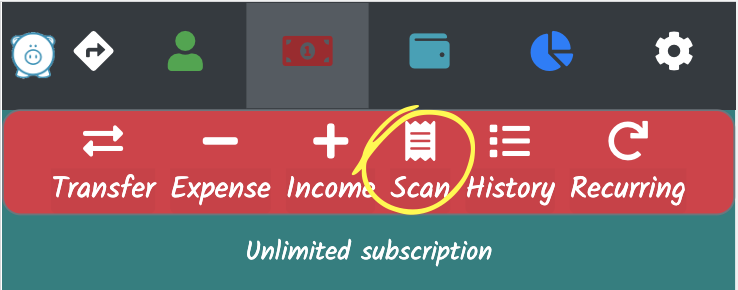
When using Personal Spendings from a computer you can upload any file with the picture of the receipt. If you are accessing from your mobile device you can take a photo of your receipt directly from the web application, scan, recognize and create the transaction.
The receipts you scan and attach to your transactions give information that enables Personal Spendings to provide a
better experience the next time you scan receipts from the same store. If you usually have lunch at a restaurant,
when you scan a new receipt from this restaurant we will display a transaction form with all data correctly prefilled, so you'll
probably just need to save the transaction without changes.
Besides scanning receipts, you can attach any file to a transaction.
RECONCILIATION
Your transactions include a reconciliation status that allows you to track your balances against your bank.
Monthly - or whenever you prefer - you can check your transactions against your bank or credit card statement and confirm your data.
ANALYZE YOUR RECORDS
Personal Spendings lets you review the transactions you entered and track those balances. You can see trends and analyze spending by category, and you can display graphs and reports.
With many reports to choose from, the reports manager lets you run many reports at the same time. Reports will be built and can be displayed later, at any time.

PLENTY OF TOOLS
You can manage different currencies and have automatic exchange rates. You can customize your categories and subcategories. You can record important notes to have reminders at a glance. You can see your records history using many custom filters.